TimeManager is a plugin for QGIS that has been available for QGIS 1.x up to QGIS 3.12. TimeManager was then replaced by the built in Temporal Controller functionality.
TimeManager enables comfortable browsing through spatio-temporal data. The Time Manager dock widget provides a time slider and a configuration dialog to manage your spatio-temporal layers.
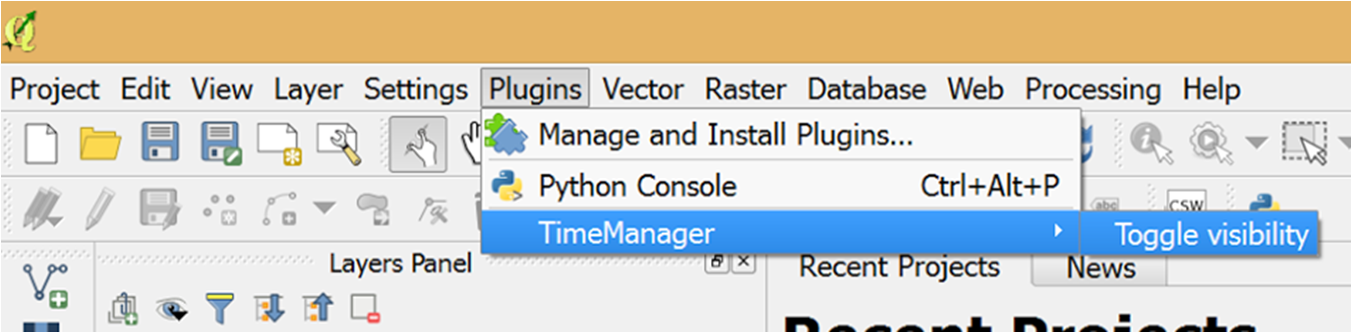

Time Manager can keep multiple spatio-temporal layers synchronized. You have full control over animation speed and step size. Additionally, Time Manager enables you to generate image series based on your settings with just a few clicks.
Examples
The following examples show what can be achieved with Time Manager:


GIFs courtesy of Topi Tjukanov @tjukanov
For more examples, visit the TimeManager Youtube playlist.
Installation
Use the QGIS Plugin Manager to install Time Manager. More information about necessary dependencies are listed on the plugin repository website.
Sources
The Time Manager source code is available on Github.
More information
Here you can find all my posts on Time Manager: “Time Manager” tag
References
Time Manager has been discussed in the following publications:
- O’Brien, O. (2015). Open Source GIS Software. In C. Brunsdon, A. Singleton, eds.: “Geocomputation: A Practical Primer”. SAGE.
- Friedrich, C. (2014). Comparison of ArcGIS and QGIS for applications in sustainable spatial planning (Master’s thesis, Universität Wien).
- Nga, D. V., See, O. H., Xuen, C. Y., & Chee, L. L. (2012). Visualization Techniques in Smart Grid. Smart Grid and Renewable Energy, 3(03), 175.
- Graser, A. (2011). Visualisierung raum-zeitlicher Daten in Geoinformationssystemen am Beispiel von Quantum GIS mit „Time Manager“-Plug-In. In Proceedings of FOSSGIS2011, Heidelberg, Germany. ISBN: 978-3-00-034124-3; S. 73 – 75.
 Free and Open Source GIS Ramblings
Pingback: QGIS Time Manager Example: Visualizing Storm Data | Free and Open Source GIS Ramblings
Hi,
I’m trying to get the plugin with QGIS 1.7.0 but even after adding Geofrogger as a repository, it doesn’t show as available. Do I have to build it from sources ?
Regards
Laurent
Hi Laurent,
Time Manager is tagged “experimental”, so you have to allow experimental plugins in Plugin Installer options.
Hi,
I allowed experimental plugins with no success …
Regards
Laurent
Strange, I just tested the repository again and it works.
Maybe check the repo address again: http://www.geofrogger.net/qgis_plugins/plugins.xml
And the “allowed plugins” option needs to be “show all plugins, even those marked as experimental”.
You can also download the plugin directly from: http://www.geofrogger.net/qgis_plugins/timemanager.zip
Put it into ~/.qgis/python/plugin folder and restart QGIS. The disadvantage is that you wont be notified about new versions.
Great,
It was just when I tried to find the plugin selecting the GeoFrogger repository that it didn’t show.
I’m going to test it.
Thanks
Laurent
Hi I am just wondering how you managed to get the hotspot style effect in the video was this done in QGIS? I have the time manager installed and working perfectly but need this feature to really display my data as i would like to. Any help really appreciated thanks…
Ruth
Hi Ruth,
Yes, all effects were done in QGIS. The general idea is to add the same data multiple times with different styles. Using Time Manager “Offset” feature, you can time which style to display when. Combined with layer transparency, that’s all the tricks I used. It might need some trial-and-error, but it’s worth it.
I’m planning to write a post on this topic when I find the time to.
Thanks for using Time Manager!
Thanks i’ll try it out.
Ruth
time manager is a great feature but I think the potencial is still not yet discovered by me. So the post on the topic would be very appreciated!
Regards
First of all, I think this is fantastic – I’ve had some great results from it already.
I wondered if is possible to summarize data by time only.
I have a large dataset collected over a week but I’m really interested in creating a time lapse video of the variations by day or by time of day. In my case, I’ve have the date and time in two fields so a video by day works perfectly using the%Y-%m-%d mask but it would be fantastic if I could create a video from the time field – %H.%M:%S alone as well.
Is that possible?
Thank you!
Thanks for your feedback!
I think that should be possible and I’ll try to include it into version 0.4 of Time Manager.
Wow! That would be fantastic.
Please use Field Calculator for now to prepand an arbitrary date to your time information. This way you can already use all your data.
I’ve been looking into including this format, but it comes with many implications for the rest of the plugin. For example, it won’t be able to use multiple layers (some with datetime information, some only with time information). It’s going to be necessary to include a lot of additional sanity checks.
Hi,
Time Manager looks cool. Can it be used to play through a time sequence of raster images?
Thanks!
Hi Mike,
That’s not yet possible. I haven’t had the use case and/or appropriate test data yet but it has been requested a few times.
Compared to vector data, it is less clear how to encode the time information into the raster data. Currently, the only thing I could think of was either to encode the information in the raster file name or have the user specify the information manually.
Any thoughts?
Thanks! I’d suggest regular expression that encoded the time information in the file names. It seems that most users use the file names to encode time when they play through raster data layers manually to analyze time lapse changes.
What about this data set: http://www.polarview.aq/mapview.php ?
-Mike
Hi,
how do I tell TimeManager to keep all the points in the map after they appeared? Just like in the second video featured in the page. Thank you.
That’s possible by adding and end timestamp that’s far enough in the future.
Hi there,
thank you for the great plugin!
here is a video that also uses time manager: http://matsim.org/scenario/munich
One problem remains which is the slow drawing of layers in QGIS; so if you want to export a video (or the frames) of a large layer, you will have to set the “show frame for … milliseconds” option to a high number.
In general, the animation is not very smooth within QGIS, but the plugin cannot fix that :)
Greetings,
Benjamin
Hi Benjamin,
Thank you for the link! To speed up drawing, you can try to enable “Render caching” in Options. I found it helps increase drawing speed but it can also cause crashes when interacting with Time Manager GUI. Therefore, I only use it when I export videos.
Best wishes,
Anita
Thank you Anita! I will try this out :)
Cheers,
Benjamin
Hi Anita,
The time manager is really the application i am looking for. Thanks for your excellent work!
However, there is a bug and i dont know how to solve it. Could u plz help me on that?
An error has occured while executing Python code:
Traceback (most recent call last):
File “C:/Users/ngachi/.qgis/python/plugins\timemanager\timemanagercontrol.py”, line 208, in setCurrentTimePosition
timePosition = datetime.strptime( str(timePosition.toString(‘yyyy-MM-dd hh:mm:ss.zzz’)) ,”%Y-%m-%d %H:%M:%S.%f”)
File “C:\PROGRA~2\QUANTU~1\apps\Python25\lib\_strptime.py”, line 320, in strptime
(bad_directive, format))
ValueError: ‘f’ is a bad directive in format ‘%Y-%m-%d %H:%M:%S.%f’
Python version:
2.5.1 (r251:54863, Apr 18 2007, 08:51:08) [MSC v.1310 32 bit (Intel)]
QGIS version:
1.7.1-Wroclaw Wroclaw, e6718b6
Hope to hear from you soon!
Thanks,
Nga
I think that is related to the Python version. OSGeo4W has updated to 2.7. The old version doesn’t seem able to cope with milliseconds. Can you update and see if that fixes it?
Hi Anita,
An error has occured while executing Python code:
Traceback (most recent call last):
File “C:/Users/Aymen/.qgis/python/plugins\timemanager\timemanagercontrol.py”, line 164, in playAnimation
if currentTime IndexError: tuple index out of range
Version de Python :
2.7.2 (default, Jun 12 2011, 15:08:59) [MSC v.1500 32 bit (Intel)]
Version de QGIS :
1.7.4-Wroclaw Wroclaw, 411aff6
Hi Aymen,
Please use the issue tracker at https://github.com/anitagraser/TimeManager/issues?direction=desc&sort=created&state=open to report issues.
Please also include which plugin version you are using and how to reproduce the bug.
Thank you!
Hi Anita, I’m developing a C++ plugin for Qgis and I want to filter/override the mouse-wheel event. I created a “maptool” to select a polygon feature on a vector layer, the feature has two attributes : an id & an integer H. I want to override the mouse wheel event so that once I select a polygon, the wheel will allow me to change (increment/decrement) the value of attribute H and not zoom/unzoom the mapcanvas!
I created and “eventFilter” on my plugin’s base class which I install on the mapcanvas (QgsMapCanvas::installEventFilter()) once my maptool is activated, works fine to filter a key press for example but when it comes to the mouse-wheel it seems that it bypasses the eventFilter and does the usual zoom/unzoom action !!
Any ideas on how to solve this problem?
Thank you !
Sorry, I don’t know. Please contact the QGIS developer list where you will find people who actually know C++.
Greetings underdark,
FYI, my organization – LICADHO, a Cambodian rights watchdog NGO – made use of your excellent plugin to create a time-lapse representation of land concession granting over a period of 20 years. The resulting video has turned out to be quite a convincing piece of argument.
The video can be seen here: http://www.youtube.com/watch?v=ySF22KjLlk8
Thought you might be interested in seeing example of what people have been doing out of your efforts : )
A few points were noted while using your plugin to build the video and I was wondering whether we could discuss some more over email. I’ll leave my address attached to this comment.
Kudos again for your work!
Thank you for your feedback Mathieu. Please feel free to add any enhancement requests you have to https://github.com/anitagraser/TimeManager. We can discuss them there so everything is well documented. Best wishes.
Hi Anita, here a beginner with QGIS, which I like very much the potential it has for users and developers (plugins and standalone applications).
I’ve read somewhere you developed this plugin with Spyder (http://packages.python.org/spyder/ and http://code.google.com/p/spyderlib/). Am I right? It looks nice.
How did you configured Spyder to use it with PyQGIS libraries. I tried to do it, modifying the qgis.bat (the last line which begins with Start…) but without success. Instead, doing the same with Monkey Studio, it worked ok. Any clue? Thanks in advance.
Hi Luis,
I didn’t go through the trouble of configuring Spyder. I just use it as an editor with syntax highlighting and ipython shell.
Can you add format support for dates with timezones? I’ve got data stored in PostGIS as “timestamps with time zone” e.g.: 2012-04-25 16:05:36-06
Hi Brent! Please use Github to report feature requests: https://github.com/anitagraser/TimeManager/issues?direction=desc&sort=created&state=open. Thanks!
Hi Anita, looking to previous post and i’m curios if forum is still alive. Your plugin looks great, but unfortunately i can’t run it. I installed it but when i define the feature for time manager i receive this error message…
Traceback (most recent call last):
File “C:\PROGRA~2\Quantum GIS Lisboa\apps\qgis\python\plugins\timemanager\timemanagerguicontrol.py”, line 346, in updateTimeExtents
self.dock.horizontalTimeSlider.setMaximum(mktime(timeExtents[1].timetuple()))
TypeError: QAbstractSlider.setMaximum(int): argument 1 has unexpected type ‘float’
unfortunately i’m not able to understand what to do… may i kindly ask you to help me with it ? i’m runnin your plugin on
Python version:
2.7.2 (default, Jun 12 2011, 15:08:59) [MSC v.1500 32 bit (Intel)]
QGIS version:
1.8.0-Lisboa Lisboa, 6416f38
and the version of your plugin is 0.7
windows 7 64bit
thank you for any kind of answer
r.
Hi Rado,
Seems to be related to this error: https://github.com/anitagraser/TimeManager/issues/28
Unfortunately the range of supported dates is limited by the Python classes I’m using. The whole tool would need a total re-write to fix this.
Dear Anita Grazer,
I have in my Linux Fedora 16 the QGIS 1.8.0 – Lisboa and I have tried to install the TimeManager Plugin.
Firstly I cannot install it from the repository (I have already experimental versions allowed), so I installed directly in the folder .qgis/python/plugins. However I only was able to install the version 0.5 and when I tried to install the latest versions I got an error message saying:
Couldn’t load plugin ‘timemanager’ from [‘/usr/share/qgis/python’, ‘/home/filipe/.qgis//python’, ‘/home/filipe/.qgis//python/plugins’, ‘/usr/share/qgis/python/plugins’, ‘/usr/lib/python27.zip’, ‘/usr/lib/python2.7’, ‘/usr/lib/python2.7/plat-linux2’, ‘/usr/lib/python2.7/lib-tk’, ‘/usr/lib/python2.7/lib-old’, ‘/usr/lib/python2.7/lib-dynload’, ‘/usr/lib/python2.7/site-packages’, ‘/usr/lib/python2.7/site-packages/PIL’, ‘/usr/lib/python2.7/site-packages/gst-0.10’, ‘/usr/lib/python2.7/site-packages/gtk-2.0’, ‘/usr/lib/python2.7/site-packages/setuptools-0.6c11-py2.7.egg-info’, ‘/usr/lib/python2.7/site-packages/wx-2.8-gtk2-unicode’, ‘~/.qgis/python’]
Could you, please, help me to solve this problem?
Thank you,
Filipe Rocha
You should use TimeManager 0.7 with QGIS 1.8. What do you mean with “I only was able to install the version 0.5”? What happened if you tried 0.7?
I meant that only the plug in only run when I installed the version 0.5. When I install the versions 0,6 or 0.7 I got the error message I said in the first post, when I open the QGIS.
Thank you!
Then I guess the problem is a lacking Python module called dateutil (included e.g. in matplotlib available in OSGeo4W).
Hi, this looks like a great plugin, but I haven’t been able to get it to work yet. I’m getting a ” The attribute specified for use as end time contains invalid data: ugh” error using QGIS 1.8 and Time Managers .7…I’ve made sure my data is formatted properly, any ideas what’s going on?
Hi Brad. Please use the bug tracker https://github.com/anitagraser/TimeManager/issues and provide some sample data so I can try to reproduce the problem.
Hi anita. I try to download the pluging but the browser doesnt start the download i try with firefox and chrome.
Maybe is just a momentary issue and i will try again later. Just let you know
In general, you should install TimeManager using the QGIS plugin manager instead of downloading it manually.
Hi Anita
Thanks for this plugin. It does exactly what I want, except that I would like to run it by year (which I can do by pretending the years are months or some other unit. Also, I want to run from 1800 AD onwards, and am not sure if dates before 1901 will be acceptable (as programs like excel don’t recognise them as dates). Again, I can probably trick the program by a transformation, but it would be nice not to.
Thanks again
Gay
Hi Gay,
Timestamps as early as 1800 AD are currently not supported because of underlying limitations of the Python classes (see https://github.com/anitagraser/TimeManager/issues/26). For years-only, please use field calculator to add the month-day part “-01-01” or similar.
Thank you
I keep getting the following error when I try to export video:
Traceback (most recent call last):
File “/Users/daviskitchel/.qgis2/python/plugins/timemanager/timemanagercontrol.py”, line 135, in toggleAnimation
self.startAnimation()
File “/Users/daviskitchel/.qgis2/python/plugins/timemanager/timemanagercontrol.py”, line 156, in startAnimation
self.waitAfterRenderComplete()
File “/Users/daviskitchel/.qgis2/python/plugins/timemanager/timemanagercontrol.py”, line 161, in waitAfterRenderComplete
self.playAnimation(painter)
File “/Users/daviskitchel/.qgis2/python/plugins/timemanager/timemanagercontrol.py”, line 175, in playAnimation
fileName = os.path.join(self.saveAnimationPath,”frame”+str(self.animationFrameCounter).zfill(self.exportNameDigits)+”.png”)
AttributeError: ‘TimeManagerControl’ object has no attribute ‘animationFrameCounter’
Hi Davis,
Please use the bugtracker on Gitub to report errors and include information on the version you are using.
Hi there,
It would be great if there could be an option for a feature to persist i.e. once displayed, it stays on the map. Even better would be for features to “grow” in size depending on the number co-located.
Cheers for the plugin :)
Hi John,
Thanks a lot for the feedback! Persistent features can be achieved using a workaround presented in https://anitagraser.com/2011/11/20/nice-animations-with-time-managers-offset-feature/. Your other wish requires implementing a new renderer. A renderer like that would certainly be useful.
Best wishes,
Anita
Hi Underdark,
thanks for your plugin.
Have you ever thought of integrating support for WMS (with “Time-Parameter”) in your Time-Manager.
For testing purposes:
http://geodaten.metropoleruhr.de/dop/dop
I’d love to see that cool feature for QGIS,
Greetings
Ben
Hello Anita!
Thanks for an awsum plugin to QGIS!
I want to plot a bunch of points that are moving, which works fine! However I have some trouble separating them and added a label name attached to them, which works perfect on the screen but when I use Export video the label name and the timestamp is lost in most of the pictures (I’ll get it in some of the files but not all). Any suggestion what I can do to solve this issue?
Thank you,
Axel
Try the solution described in https://github.com/anitagraser/TimeManager/issues/62#issuecomment-70015387. I’ll provide an update soon which should include this fix.
Thanks a lot! It worked perfect!
I had some issues using a .csv file as input since I had a time series and the QGIS red that column as a string, I created a new column in QGIS with date format but it didn’t read time (I tried to create a .csvt file but it didn’t work). Maybe I did something wrong.. However I solved the problem with import the csv file as a SpacialLight layer, than everything worked as planned :).
Hi there,
Thanks for the wonderful work. Unfortunately version 1.4.1 is broken for me on 2.6.1. Crashes any time QGIS tries to render the view:
Traceback (most recent call last):
File “C:/Users/thomas/.qgis2/python/plugins\timemanager\timemanagercontrol.py”, line 196, in waitAfterRenderComplete
QTimer.singleShot(self.animationFrameLength,self.playAnimation)
AttributeError: ‘NoneType’ object has no attribute ‘singleShot’
It seems fine on 2.4.x though.
Hi Matt,
That’s weird since I use the same combination. Please post a bug report on the Github bug tracker so that we can have a look.
Thanks for the quick reply!
I’ve re-built my data sets for an unrelated reason an the error seems to be gone now. My guess is the problem was with a mistake in my own formatting. I’m upgrading to the new version in any case.
Hi Anita,
A total QGIS newbie here, trying to use TimeManager, apologies for a silly question…
I would like to animate a moving point on a map. Created a mockup file like this:
Name,Datetime,Latitude,Longitude
POINT,2015-01-16 1:58:00,-7.414737,102.695384
POINT,2015-01-16 2:58:00,-8.633136,106.035228
POINT,2015-01-16 3:58:00,-10.107297,109.287181
POINT,2015-01-16 4:58:00,-12.691764,114.296947
POINT,2015-01-16 5:58:00,-14.995704,119.746166
When I load this as a layer in QGIS it shows all five points on a map.
TimeManager seems working fine (I can see it going through the frames), but since all five points are shown on the map all the time I do not see any effect!
If I untick the layer in the QGIS ‘Layers’ pane, no points are shown (and TimeManager doesn’t show anything…)
I would appreciate any advice what am I doing wrong.
Thank you,
Alex
Please try if it works with a prefixed zero for the hour in your timestamp, as in 2015-01-16 01:58:00
I had the same problem, all my time was between 17.00.00 and 22.00.00, I think that the problem is generated from that you create the layer from a text file?
When I imported a .csv file to QGIS everything looked good but when I looked at the properties/fields the time filed was a QString, I tried to change it to a Date field but than the field didn’t support the time format :(
– However I fixed the problem by importing the .csv file to a SpatiaLight database and than imported it again as SpatiaLight layer. It is a little bit tediously way to do it but it worked for me.
Hi,
Thank you for your reply. I tried adding zeros, but that doesn’t make any difference.
I think my problem is that when I load this file into QGIS (through Layer -> Add Layer -> Add delimited text) all five points are displayed on the map. I think that TimeManager runs fine, but animation is not visible because all five points are displayed all the time!
I wonder if TimeManager is looping through multiple points in a single layer, or is it looping through different layers, where each point needs to be a part of a different layer? I find that available tutorials deal with complex animations. A really simple tutorial would really help with understanding basic principles of how TimeManager works (like loading and animating a few points).
Thank you,
Alex
Did you change the time frame size to hours?
Time Manger sets filters on layers to hide all features outside the current time frame.
Hi, done that. I can see Time Manager working through the frames, which makes me think it’s working fine.
However, I don’t see the animation because all five dots are shown on the map all the time.
Have you tried to create a SpaciaLight database and imported a layer from there?
I’ve just tested the lines you posted, put them in a CSV file which I loaded using add delimited text layer. Everything works fine. Can you maybe record a screen capture so we can see what you are doing and maybe spot the issue.
Here are the steps that I used retraced:
Step 1. Create the file “POINTS.csv” which contains the following lines:
Name,Datetime,Latitude,Longitude
POINT,2015-01-16 1:58:00,-7.414737,102.695384
POINT,2015-01-16 2:58:00,-8.633136,106.035228
POINT,2015-01-16 3:58:00,-10.107297,109.287181
POINT,2015-01-16 4:58:00,-12.691764,114.296947
POINT,2015-01-16 5:58:00,-14.995704,119.746166
Step 2. Start QGIS
Step 3. Layer -> Add Layer -> Add Delimited Text Layer
Click on [Browse], select “POINTS.csv”, [Ok]
Coordinate reference system, select WGS84 [Ok]
Note, at this point QGIS displays all five points in the map area.
Step 4. Click on Time Manager [Settings], then [Add Layer]
Window pops up
Layer: POINTS
Start Time: Datetime [Ok]
End Time: (leave empty)
Click [Ok]
Step 5. In Time Manager adjust step to “hours”
Step 6. In Time Manager click on play [>]
At this point I can see that that Time Manager is hoping between the five frames, by observing the “slider” which hops between five positions.
However, I cannot see any animation, because all five points are shown on the map all the time, since Step 3!
I was expecting to see points 1, 2, 3, 4, and 5 displayed in a sequence, to give an animation.
What am I doing wrong here?
Are you using QGIS 2.6.1 and the latest Time Manager version? I cannot reproduce the problem. Which operating system are you using? Please report the issue on the bug tracker on Github.
Hi,
thanks for this great plugin. I Downloaded the brand new version, and i succed to run it, but when I tried to export video, it didn’t worked. It wrote numbers of png files but no video files.
How can I do ?
thanks for the help .
Time Manager currently cannot write video files. The readme file gives instructions for how to turn image series into videos.
I’m using QGIS 2.6.1, on Debian Wheezy 7.4, Time Manager 1.0.2 (from ‘timemanager.py’).
I would appreciate a pointer exactly where your sequence differs from mine? I’m still concerned that perhaps I’m making a silly mistake somewhere.
As a general comment (hope this may be useful): what I thought was missing is a tutorial explaining the most basic use of Time Manager (the example discussed here, the animation of a few mock-up points is a good illustration of what kind of super-basic tutorial I would have much appreciated). In fact, I was able to find several tutorials on the Internet, but all of them are showcasing either advanced features or very specialised features that did not help me understand how to make Time Manager work for my purpose.
Note that I’m totally new to QGIS (and GIS in general), and tried QGIS because I was interested using functionality provided by QGIS + Time Manager.
Thanks and all the best,
Alex
Please use the latest version of Time Manager 1.5.1 http://plugins.qgis.org/plugins/timemanager/
New observation – clicking on the “Time display Options” button in the setting ui crashes the plugin (and QGIS) for me.
Traceback (most recent call last):
File “C:/Users/thomas/.qgis2/python/plugins\timemanager\timemanagerguicontrol.py”, line 109, in showLabelOptions
self.labelOptionsDialog = uic.loadUi(os.path.join(path,LABEL_WIDGET_FILE ))
File “C:\PROGRA~2\QGISBR~1\apps\Python27\lib\site-packages\PyQt4\uic\__init__.py”, line 221, in loadUi
return DynamicUILoader().loadUi(uifile, baseinstance)
File “C:\PROGRA~2\QGISBR~1\apps\Python27\lib\site-packages\PyQt4\uic\Loader\loader.py”, line 71, in loadUi
return self.parse(filename, basedir)
File “C:\PROGRA~2\QGISBR~1\apps\Python27\lib\site-packages\PyQt4\uic\uiparser.py”, line 879, in parse
actor(elem)
File “C:\PROGRA~2\QGISBR~1\apps\Python27\lib\site-packages\PyQt4\uic\uiparser.py”, line 722, in createUserInterface
self.traverseWidgetTree(elem)
File “C:\PROGRA~2\QGISBR~1\apps\Python27\lib\site-packages\PyQt4\uic\uiparser.py”, line 700, in traverseWidgetTree
handler(self, child)
File “C:\PROGRA~2\QGISBR~1\apps\Python27\lib\site-packages\PyQt4\uic\uiparser.py”, line 214, in createWidget
self.traverseWidgetTree(elem)
File “C:\PROGRA~2\QGISBR~1\apps\Python27\lib\site-packages\PyQt4\uic\uiparser.py”, line 700, in traverseWidgetTree
handler(self, child)
File “C:\PROGRA~2\QGISBR~1\apps\Python27\lib\site-packages\PyQt4\uic\uiparser.py”, line 442, in createLayout
self.traverseWidgetTree(elem)
File “C:\PROGRA~2\QGISBR~1\apps\Python27\lib\site-packages\PyQt4\uic\uiparser.py”, line 700, in traverseWidgetTree
handler(self, child)
File “C:\PROGRA~2\QGISBR~1\apps\Python27\lib\site-packages\PyQt4\uic\uiparser.py”, line 479, in handleItem
self.traverseWidgetTree(elem)
File “C:\PROGRA~2\QGISBR~1\apps\Python27\lib\site-packages\PyQt4\uic\uiparser.py”, line 700, in traverseWidgetTree
handler(self, child)
File “C:\PROGRA~2\QGISBR~1\apps\Python27\lib\site-packages\PyQt4\uic\uiparser.py”, line 442, in createLayout
self.traverseWidgetTree(elem)
File “C:\PROGRA~2\QGISBR~1\apps\Python27\lib\site-packages\PyQt4\uic\uiparser.py”, line 700, in traverseWidgetTree
handler(self, child)
File “C:\PROGRA~2\QGISBR~1\apps\Python27\lib\site-packages\PyQt4\uic\uiparser.py”, line 479, in handleItem
self.traverseWidgetTree(elem)
File “C:\PROGRA~2\QGISBR~1\apps\Python27\lib\site-packages\PyQt4\uic\uiparser.py”, line 700, in traverseWidgetTree
handler(self, child)
File “C:\PROGRA~2\QGISBR~1\apps\Python27\lib\site-packages\PyQt4\uic\uiparser.py”, line 442, in createLayout
self.traverseWidgetTree(elem)
File “C:\PROGRA~2\QGISBR~1\apps\Python27\lib\site-packages\PyQt4\uic\uiparser.py”, line 700, in traverseWidgetTree
handler(self, child)
File “C:\PROGRA~2\QGISBR~1\apps\Python27\lib\site-packages\PyQt4\uic\uiparser.py”, line 479, in handleItem
self.traverseWidgetTree(elem)
File “C:\PROGRA~2\QGISBR~1\apps\Python27\lib\site-packages\PyQt4\uic\uiparser.py”, line 700, in traverseWidgetTree
handler(self, child)
File “C:\PROGRA~2\QGISBR~1\apps\Python27\lib\site-packages\PyQt4\uic\uiparser.py”, line 208, in createWidget
self.stack.push(self.setupObject(widget_class, parent, elem))
File “C:\PROGRA~2\QGISBR~1\apps\Python27\lib\site-packages\PyQt4\uic\uiparser.py”, line 176, in setupObject
obj = self.factory.createQObject(clsname, name, args, is_attribute)
File “C:\PROGRA~2\QGISBR~1\apps\Python27\lib\site-packages\PyQt4\uic\objcreator.py”, line 105, in createQObject
classType = self.findQObjectType(classname)
File “C:\PROGRA~2\QGISBR~1\apps\Python27\lib\site-packages\PyQt4\uic\objcreator.py”, line 115, in findQObjectType
w = module.search(classname)
File “C:\PROGRA~2\QGISBR~1\apps\Python27\lib\site-packages\PyQt4\uic\Loader\qobjectcreator.py”, line 92, in search
self._modules[module] = __import__(module, {}, {}, (cls,))
File “C:/PROGRA~2/QGISBR~1/apps/qgis/./python\qgis\utils.py”, line 460, in _import
mod = _builtin_import(name, globals, locals, fromlist, level)
ImportError: No module named qgscolorbutton
Python version:
2.7.4 (default, Apr 6 2013, 19:54:46) [MSC v.1500 32 bit (Intel)]
QGIS version:
2.6.1-Brighton Brighton, e2a51df
Yes that’s a known issue of the current version https://github.com/anitagraser/TimeManager/issues/99 and should be fixed in the next release. You’re not missing anything though since this button will add new functionality which hasn’t been available so far.