New QGIS symbol packages
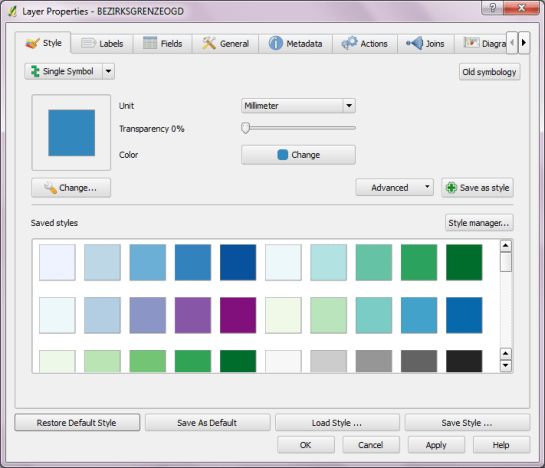
So far, QGIS does not come with many default symbols. Quite often one just needs two or three colors that go well together. That’s why I created a series of simple fill symbols based on ColorBrewer. They are available on Github QGIS-resources:
- 7 diverging classes: https://raw.github.com/anitagraser/QGIS-resources/master/symbols/colorbrewer_polygon_diverging_7classes.xml
- 5 sequential classes: https://raw.github.com/anitagraser/QGIS-resources/master/symbols/colorbrewer_polygon_sequential_5classes.xml
As always, these XMLs can be imported using Style Manager.
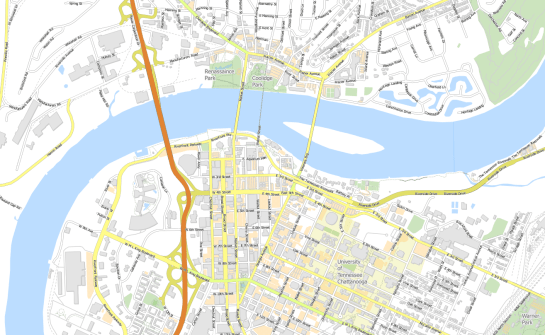
Another great addition to QGIS-resources was added this week by user aplannersguide. He shared his styles for osm2pgsql layers:
 Free and Open Source GIS Ramblings
Hi Underdark, thanks for the color-schemes.
Ok, I have successfully imported these styles with Style manager. But now I dont know how to use them, when I have graduated styles .when I have 5 classes,, I need to select each defined color one after ssssanother from the scheme? (Thats what I do at the moment) Or is there a more convient way to select a complete scheme (5 colors) at once???
thanks
Kurt
Hi Kurt,
If you want a graduated style, I’d recommend using one of the pre-made color ramps which I also created based on Colorbrewer: https://underdark.wordpress.com/2011/11/02/more-color-ramps-for-qgis/
Pingback: From Underdark: New QGIS Symbol Packages | Ecostudies
Hi Underdark,
thank you for that hint. Happy holidays
Kurt
Thank you for the great work.
Would it be possible to see them implemented officially in QGIS?
Thanks Matteo! Yes, that should be possible. I’ll contact the developers about it.
Thank’s great job, congratulations.
Thanks for the great contribution!