Group Stats is a plugin for QGIS which makes it easy to calculate statistics for feature groups in a vector layer. Note that the plugin is still marked “experimental” so you have to allow experimental plugins in order to install it. I tried this plugin for the first time today and decided to write this post because it didn’t seem immediately obvious how to use it.
The plugin button is added to the vector toolbar and of course you can access it via vector menu.
The example I want to show is: How to calculate the total area of each Corine Land Cover (CLC) class per state.
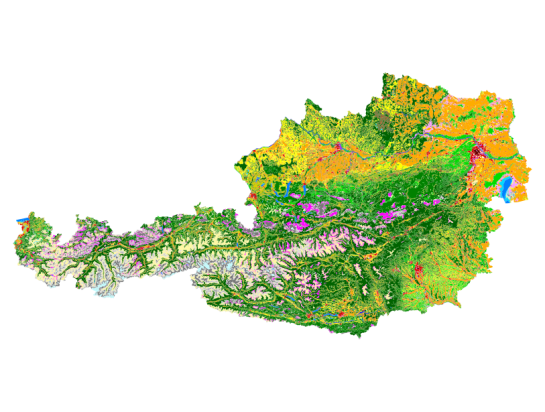
After adding state information to the CLC datasets by intersecting CLC and state geometries from Natural Earth we can get started with Group Stats.
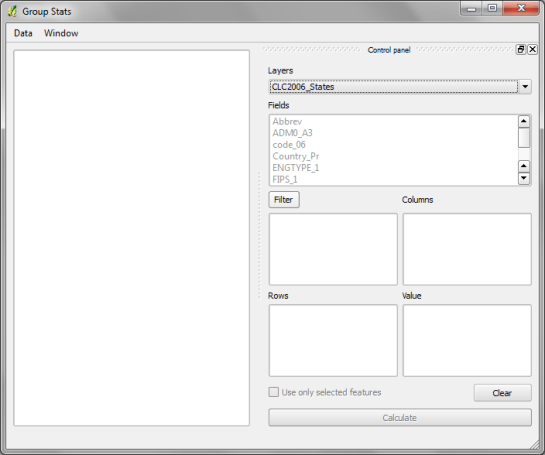
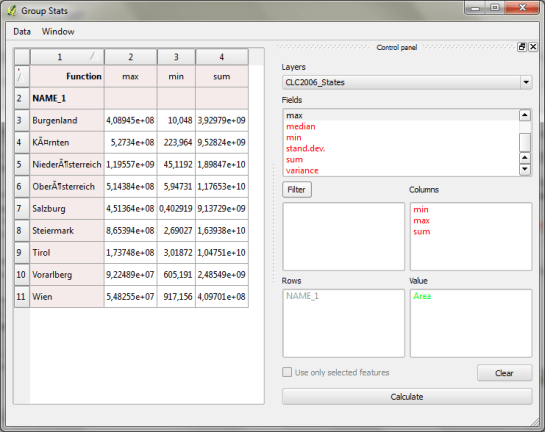
The big area on the left will display the results. The input fields are on the right. The general idea is to drag and drop fields and/or functions into the “columns”, “rows” and “values” sections. (Double-clicking field names does not do anything.) To remove fields again, you have to drop them back into the field list.
To calculate the total area of of each Corine Land Cover (CLC) class per state, I chose land cover classes as columns, state names as rows and sum of areas as values:
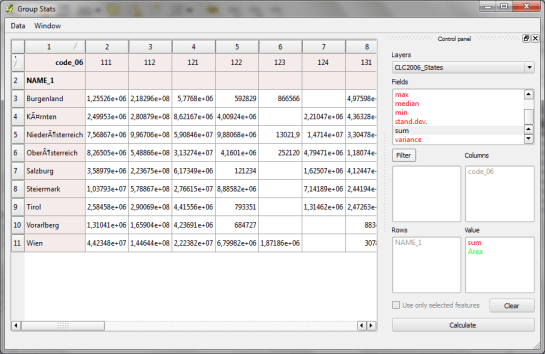
It’s also possible to add multiple functions in the columns/rows input sections to calculate different statistics at once:
Group Stats can be used in many cases that otherwise require a Spreadsheet software. The results can be exported to CSV easily. Usability could certainly be improved by allowing common interactions such as removing fields by pressing the delete key or adding fields by double-clicking.
 Free and Open Source GIS Ramblings