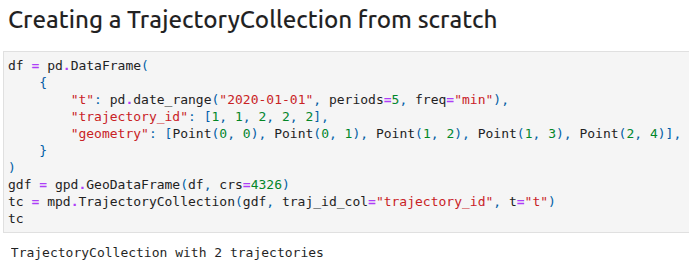
The new HTML representations for Trajectory & TrajectoryCollection objects aim to make interactive data exploration in notebooks more convenient by providing commonly required descriptive data summaries and data previews in a structured way.
Before0.23
New in 0.23
Trajectory distance measures
The second highlight of this release are three new trajectory distance measure functions, covering:
The latest releases of MovingPandas and Trajectools come with many “under the hood” changes that aim to make your movement analytics faster:
Instead of immediately creating a GeoPandas GeoDataFrame and populating the geometry column with Point objects, MovingPandas now has “lazy geometry column creation” that holds off on this operation until / if the geometries are actually needed. This way, for many operations, no geometry objects have to be generated at all.
MovingPandas TrajectorySplitters now support parallel processing and Trajectools uses parallel processing whenever available (e.g. for adding speed & direction metrics, detecting stops, splitting trajectories).
When a minimum length is specified for trajectories, MovingPandas now avoids computing the total trajectory length and, instead, immediately stops once the threshold value has been reached (“early skip”).
Trajectools now offers the option to skip computation of movement metrics (speed & direction). This way, we can skip unnecessary computations and leverage the lazy geometry column creation, wherever applicable.
Let’s have a look at some example performance measurements!
Example 1: MovingPandas ValueChangeSplitter
The ValueChangeSplitter splits trajectories when it detects a value change in the specified column. This is useful, for example, to split up public trajectories that contain a “next_stop” column.
The following graph shows ValueChangeSplitter runtimes for different minimum trajectory length settings (from 0 to 1km, 100km, and 10,000km):
We see that the new, lazy geometry column initialization outperforms the old original code in all cases (e.g. 57% runtime reduction for 1km), except for the worst-case scenario, when the original implementation discards all trajectories as too short right from the start. (For most use cases, min_length will be set to rather small values to avoid creation of undesired short trajectory fragments, similar to sliver polygons in classic geometry operations.)
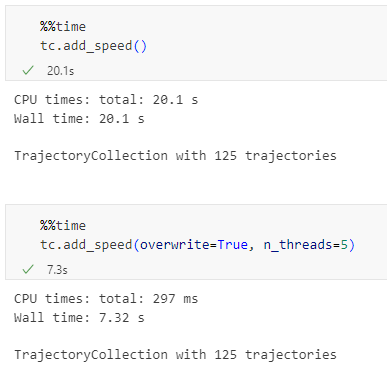
Additionally, we can engage multiprocessing by setting the n_processes parameter, e.g. to the number of CPUs to achieve further speedup:
Example 2: Trajectools
By applying all above-mentioned speedup techniques, Trajectools is now considerably faster. For example, the following runtime reductions can be achieved by deactivating the “Add movement metrics (speed, direction)” option in the algorithm dialog:
Create trajectories: 62%
Spatiotemporal generalization (TDTR): 78%
Temporal generalization: 81%
Split trajectories at stops: 53%
I have also updated the default trajectory points output style. It now uses a graduated renderer to visualize the speed values (if they have been calculated) instead of the previously used data-defined override. This makes the style faster to customize and provides a user-friendly legend:
In this new release, you will find new algorithms, default output styles, and other usability improvements, in particular for working with public transport schedules in GTFS format, including:
Added GTFS algorithms for extracting stops, fixes #43
Added default output styles for GTFS stops and segments c600060
Added Trajectory splitting at field value changes 286fdbd
Added option to add selected fields to output trajectories layer, fixes #53
Improved UI of the split by observation gap algorithm, fixes #36
Note: To use this new version of Trajectools, please upgrade your installation of MovingPandas to >= 0.21.2, e.g. using
written together with my fellow co-authors and EMERALDS project team member Argyrios Kyrgiazos.
For the technically inclined, the highlight are the presented UDFs in Snowflake to process and transform the trajectory data. For example, here’s a TemporalSplitter UDF:
CREATE OR REPLACE FUNCTION CARTO_DATABASE.CARTO.TemporalSplitter(geom ARRAY, t ARRAY, mode STRING)
RETURNS ARRAY
LANGUAGE PYTHON
RUNTIME_VERSION = 3.11
PACKAGES = ('numpy','pandas', 'geopandas','movingpandas', 'shapely')
HANDLER = 'udf'
AS $$
import numpy as np
import pandas as pd
import geopandas as gpd
import movingpandas as mpd
import shapely
from shapely.geometry import shape, mapping, Point, Polygon
from shapely.validation import make_valid
from datetime import datetime, timedelta

def udf(geom, t, mode):
    valid_df = pd.DataFrame(geom, columns=['geometry'])
    valid_df['t'] = pd.to_datetime(t)
    valid_df['geometry'] = valid_df['geometry'].apply(lambda x:shapely.wkt.loads(x))
    gdf = gpd.GeoDataFrame(valid_df, geometry='geometry', crs='epsg:4326')
    gdf = gdf.set_index('t')
    traj = mpd.Trajectory(gdf, 1)
    traj_sm = mpd.TemporalSplitter(traj).split(mode=mode)
    if len(traj_sm.trajectories)>0:
        res = traj_sm.to_point_gdf()
        res['geometry'] = res['geometry'].apply(lambda x: shapely.wkt.dumps(x))
        return res.reset_index().values
    else:
        return []
$$;
Today marks the release of Trajectools 2.3 which brings a new set of algorithms, including trajectory generalizing, cleaning, and smoothing.
To give you a quick impression of what some of these algorithms would be useful for, this post introduces a trajectory preprocessing workflow that is quite general-purpose and can be adapted to many different datasets.
We start out with the Geolife sample dataset which you can find in the Trajectools plugin directory’s sample_data subdirectory. This small dataset includes 5908 points forming 5 trajectories, based on the trajectory_id field:
We first split our trajectories by observation gaps to ensure that there are no large gaps in our trajectories. Let’s make at cut at 15 minutes:
This splits the original 5 trajectories into 11 trajectories:
When we zoom, for example, to the two trajectories in the north western corner, we can see that the trajectories are pretty noisy and there’s even a spike / outlier at the western end:
If we label the points with the corresponding speeds, we can see how unrealistic they are: over 300 km/h!
Let’s remove outliers over 50 km/h:
Better but not perfect:
Let’s smooth the trajectories to get rid of more of the jittering.
(You’ll need to pip/mamba install the optional stonesoup library to get access to this algorithm.)
Depending on the noise values we chose, we get more or less smoothing:
Let’s zoom out to see the whole trajectory again:
Feel free to pan around and check how our preprocessing affected the other trajectories, for example:
Last week, I had the pleasure to meet some of the people behind the OGC Moving Features Standard Working group at the IEEE Mobile Data Management Conference (MDM2024). While chatting about the Moving Features (MF) support in MovingPandas, I realized that, after the MF-JSON update & tutorial with official sample post, we never published a complete tutorial on working with MF-JSON encoded data in MovingPandas.
The current MovingPandas development version (to be release as version 0.19) supports:
Reading MF-JSON MovingPoint (single trajectory features and trajectory collections)
Writing MovingPandas Trajectories and TrajectoryCollections to MF-JSON MovingPoint
This means that we can now go full circle: reading — writing — reading.
Reading MF-JSON
Both MF-JSON MovingPoint encoding and Trajectory encoding can be read using the MovingPandas function read_mf_json(). The complete Jupyter notebook for this tutorial is available in the project repo.
import json
with open('mf5.json', 'w') as json_file:
    json.dump(mf_json, json_file, indent=4)
tc = mpd.read_mf_json('mf5.json', traj_id_property='trajectory_id' )
Conclusion
The implemented MF-JSON support covers the basic usage of the encodings. There are some fine details in the standard, such as the distinction of time-varying attribute with linear versus step-wise interpolation, which MovingPandas currently does not support.
If you are working with movement data, I would appreciate if you can give the improved MF-JSON support a spin and report back with your experiences.
With the release of GeoPandas 1.0 this month, we’ve been finally able to close a long-standing issue in MovingPandas by adding support for the explore function which provides interactive maps using Folium and Leaflet.
Explore() will be available in the upcoming MovingPandas 0.19 release if your Python environment includes GeoPandas >= 1.0 and Folium. Of course, if you are curious, you can already test this new functionality using the current development version.
This enables users to access interactive trajectory plots even in environments where it is not possible to install geoviews / hvplot (the previously only option for interactive plots in MovingPandas).
I really like the legend for the speed color gradient, but unfortunately, the legend labels are not readable on the dark background map since they lack the semi-transparent white background that has been applied to the scale bar and credits label.
Speaking of reading / interpreting the plots …
You’ve probably seen the claims that AI will help make tools more accessible. Clearly AI can interpret and describe photos, but can it also interpret MovingPandas plots?
ChatGPT 4o interpretations of MovingPandas plots
Not bad.
And what happens if we ask it to interpret the animated GIF from the beginning of the blog post?
So it looks like ChatGPT extracts 12 frames and analyzes them to answer our question:
Its guesses are not completely off but it made up the facts such as that the view shows “how traffic speeds vary over time”.
The problem remains that models such as ChatGPT rather make up interpretations than concede when they do not have enough information to make a reliable statement.
Today marks the 2.1 release of Trajectools for QGIS. This release adds multiple new algorithms and improvements. Since some improvements involve upstream MovingPandas functionality, I recommend to also update MovingPandas while you’re at it.
If you have installed QGIS and MovingPandas via conda / mamba, you can simply:
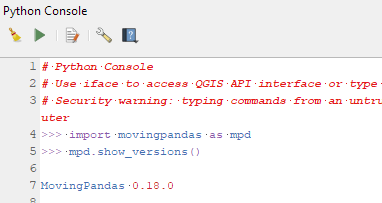
Afterwards, you can check that the library was correctly installed using:
import movingpandas as mpd
mpd.show_versions()
Trajectools 2.1
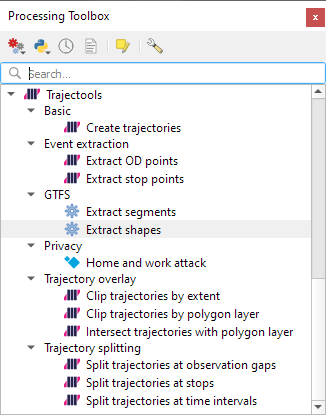
The new Trajectools algorithms are:
Trajectory overlay — Intersect trajectories with polygon layer
Privacy — Home work attack (requires scikit-mobility)
This algorithm determines how easy it is to identify an individual in a dataset. In a home and work attack the adversary knows the coordinates of the two locations most frequently visited by an individual.
Furthermore, we have fixed issue with previously ignored minimum trajectory length settings.
Scikit-mobility and gtfs_functions are optional dependencies. You do not need to install them, if you do not want to use the corresponding algorithms. In any case, they can be installed using mamba and pip:
I’m continuously testing the algorithms integrated so far to see if they work as GIS users would expect and can to ensure that they can be integrated in Processing model seamlessly.
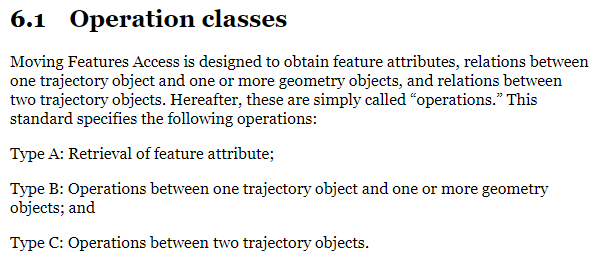
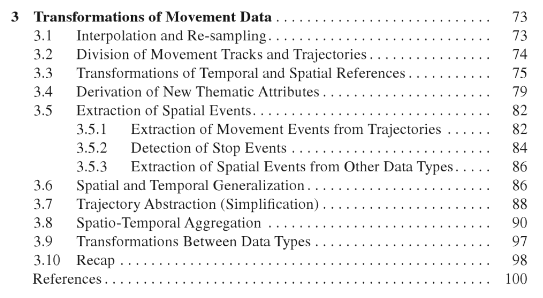
Because naming things is tricky, I’m currently struggling with how to best group the toolbox algorithms into meaningful categories. I looked into the categories mentioned in OGC Moving Features Access but honestly found them kind of lacking:
… but I’m not convinced yet. So take the above listed three categories with a grain of salt. Those may change before the release. (Any inputs / feedback / recommendation welcome!)
Let me close this quick status update with a screencast showcasing stop detection in AIS data, featuring the recently added trajectory styling using interpolated lines: